How to Set Up Speed Camera Warnings and Speedometers in Apple CarPlay
Learn how to configure navigation apps like Waze, Google Maps, and Apple Maps to get speed camera alerts and speedometer displays on Apple CarPlay.
 🧭Buying Guides
Photo: engadget.com
Key points
- Apple CarPlay relies on navigation apps like Waze, Google Maps, and Apple Maps for speed camera warnings.
- Waze and Google Maps require mobile app adjustments before connecting to CarPlay for optimal speed limit and camera settings.
- Specialized apps can expand monitoring to include red light and automated license plate reading cameras.
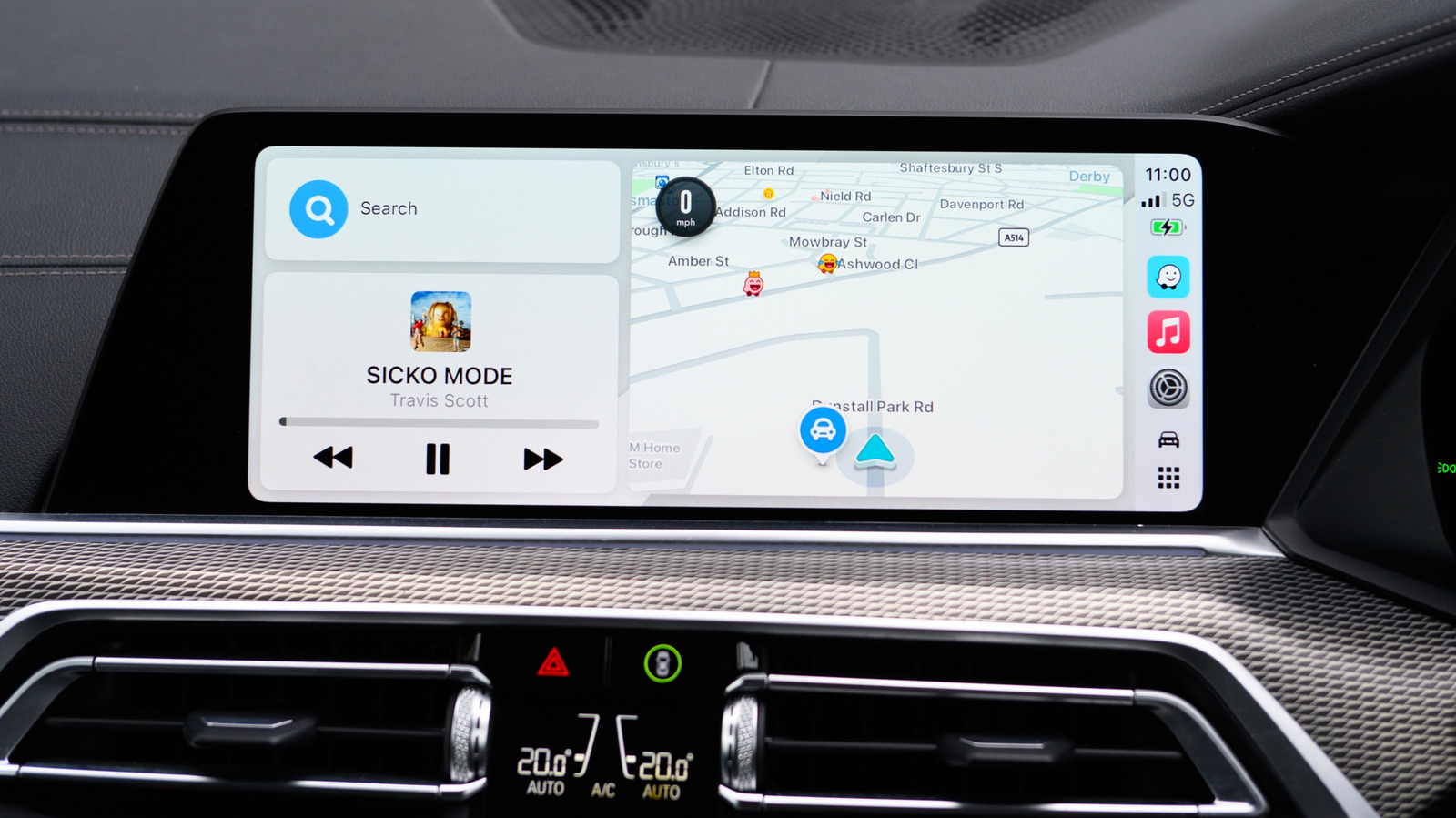
While Apple CarPlay acts primarily as a dashboard messenger rather than a standalone mapping tool, it allows drivers to receive speed camera warnings through compatible navigation software. Because CarPlay itself lacks native camera alerts or a built-in speedometer, users must rely on third-party applications like Waze, Google Maps, or Apple Maps to manage these features while driving.
Setting up alerts varies by platform. Apple Maps manages camera notices automatically in supported regions without requiring manual toggles. Waze enables camera warnings by default, letting users customize preferences under Settings > Alerts and Reports > Reports > Cameras prior to connecting with CarPlay. Google Maps offers similar community-driven reporting, where users can enable alerts via Settings > Alert options > All alerts on the CarPlay interface, or flag mobile speed traps directly by tapping the report icon.
For drivers wanting real-time speed monitoring, apps such as Waze, Google Maps, and Radarbot can display current vehicle speeds and notify operators of sudden speed limit changes. Adjusting speedometer preferences must typically be done on the smartphone before plugging into the vehicle. Specialized options like Radarbot, Roadar, and FlockHopper also provide extended tracking for fixed, red-light, or automated license plate reading cameras.
Before you buy: Certain advanced camera-detection features or background tracking capabilities may require paid subscriptions, such as a Radarbot Gold membership, or specific app configurations handled outside of the active CarPlay session.
Source engadget.com — engadget.com/2313915/how-to-get-speed-camera-alerts-carplay/ ↗
Read next
 🛍️Sales Events
Anker MagStand Qi2 Wireless Charger Hits $90 All-Time Low in Black Friday Sales
Anker's MagStand 25W wireless charging station drops to $90 at Amazon, matching its lowest price ever, while a wave of Black Friday deals covers power banks, travel charg…
 🛍️Sales Events
Black Friday Laptop Deals: Lenovo, Best Buy, and Walmart Cut Prices on ThinkBook, Yoga, and Gaming Models
Major retailers have launched Black Friday doorbuster sales on laptops, with Lenovo's ThinkBook 14x dropping to $699 and Best Buy offering a Yoga 7i 2-in-1 for $649.99.
 🏠Home & Kitchen
Art Leon Mid-Century Modern Swivel Chair Drops to $144
The Art Leon swivel office chair is currently available for $144, offering a blend of home-friendly aesthetics and functional utility.
 👟Fashion & Beauty
Black Friday Fashion and Travel Savings: J.Crew Factory, Nordstrom Rack, and More
Retailers are rolling out significant pre-Black Friday discounts on apparel and travel gear, featuring clearance markdowns and promotional codes for new customers.
 💻Tech Deals
UGREEN MagFlow 25W 2-in-1 Travel Charger Hits New All-Time Low of $28
UGREEN has discounted its MagFlow 25W 2-in-1 travel charger to $28.49, marking a 53% price reduction for Black Friday week.
 🛍️Sales Events
Walmart Launches Second Wave of Black Friday Tech Deals
Walmart has released its second major round of Black Friday discounts, featuring significant price drops on Apple hardware, gaming consoles, and home theater equipment.