USB-C Hubs vs. Docking Stations: Which Laptop Accessory Fits Your Budget?
Choosing between a portable USB-C hub and a dedicated docking station depends on your port needs and budget, with prices ranging from $30 to over $400.
 🧭Buying Guides
Photo: engadget.com
Key points
- Hubs offer a budget-friendly expansion ($30-$150) for basic peripherals.
- Docking stations ($150-$400+) provide dedicated power and multi-monitor support.
- Compatibility depends on DisplayPort Alt Mode and Power Delivery specs.
Portable USB-C hubs currently retail between $30 and $150, while professional-grade docking stations typically range from $150 to over $400 at major retailers. These accessories have become essential for laptop users who need to expand limited port selections into full desktop workstations.
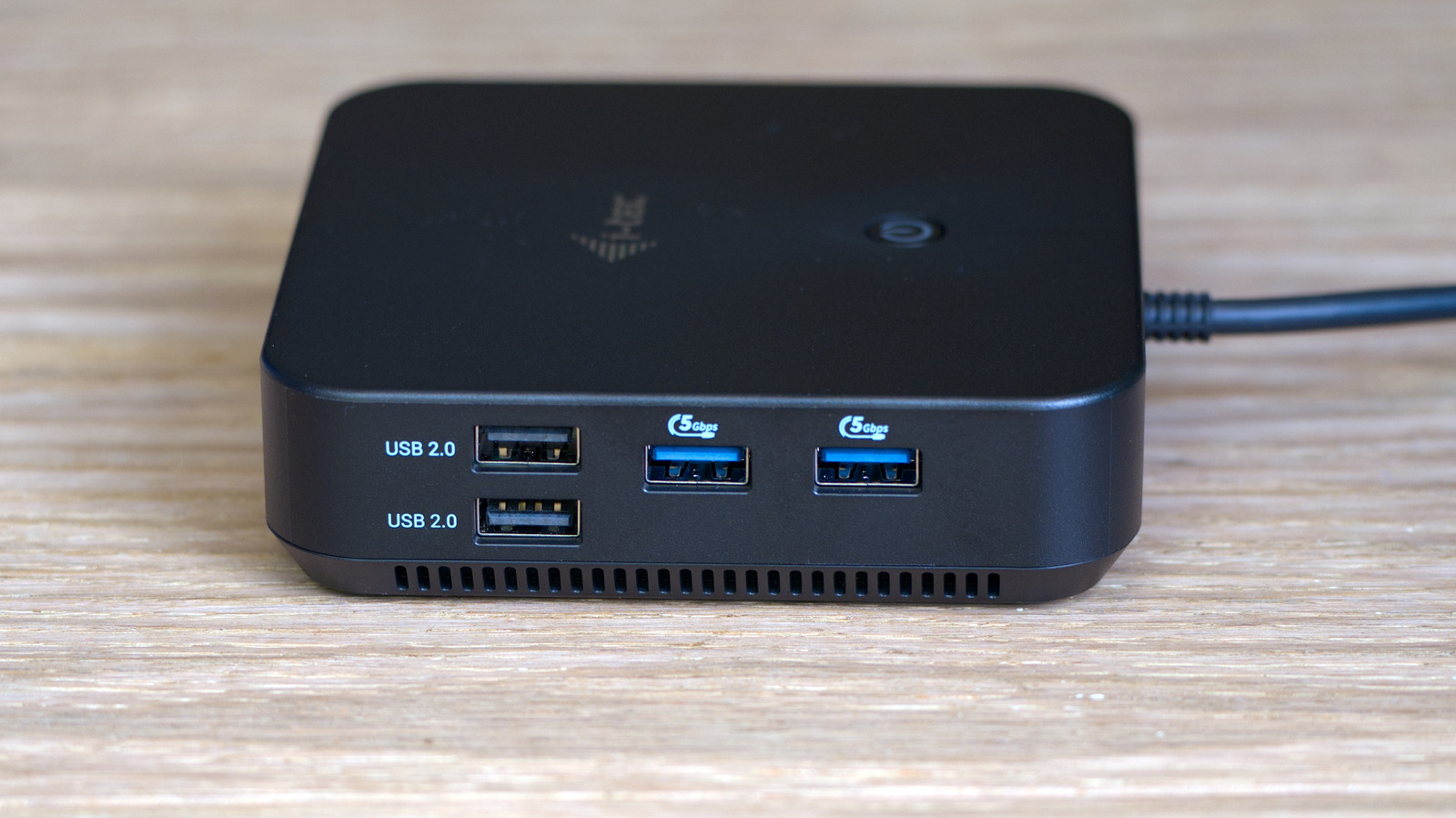
A docking station functions as a central connectivity box, linking a laptop to monitors, keyboards, and storage via one cable. This setup is ideal for users who frequently move between a mobile and stationary environment. Beyond convenience, using a dock minimizes physical stress on the laptop's built-in ports, as only one connection is handled daily instead of multiple peripheral cables.
Choosing Between Hubs and Docks
The primary difference lies in power and port density. Basic hubs are compact and bus-powered, making them suitable for adding a few USB-A ports or an SD card reader on the go. Dedicated docking stations, however, include their own power bricks. This extra power enables advanced features like Thunderbolt 4 support, multiple high-resolution display outputs, and high-speed Ethernet, all while keeping the laptop battery charged.
When shopping for these devices, compatibility is the most critical factor. Not all USB-C ports are created equal; video output requires a port that supports DisplayPort Alt Mode, Thunderbolt, or USB4. Furthermore, users planning to work with their laptop lid closed should ensure the dock provides sufficient Power Delivery (PD) wattage to handle the increased energy draw of external monitors.
Before you buy: Check your laptop manufacturer's specifications for Thunderbolt or USB-C Power Delivery support to ensure the dock can actually charge your device and output video.
Source engadget.com — engadget.com/2319496/advantages-using-usb-c-docking-station/ ↗
Read next
 🛍️Sales Events
Anker MagStand Qi2 Wireless Charger Hits $90 All-Time Low in Black Friday Sales
Anker's MagStand 25W wireless charging station drops to $90 at Amazon, matching its lowest price ever, while a wave of Black Friday deals covers power banks, travel charg…
 🛍️Sales Events
Black Friday Laptop Deals: Lenovo, Best Buy, and Walmart Cut Prices on ThinkBook, Yoga, and Gaming Models
Major retailers have launched Black Friday doorbuster sales on laptops, with Lenovo's ThinkBook 14x dropping to $699 and Best Buy offering a Yoga 7i 2-in-1 for $649.99.
 🏠Home & Kitchen
Art Leon Mid-Century Modern Swivel Chair Drops to $144
The Art Leon swivel office chair is currently available for $144, offering a blend of home-friendly aesthetics and functional utility.
 👟Fashion & Beauty
Black Friday Fashion and Travel Savings: J.Crew Factory, Nordstrom Rack, and More
Retailers are rolling out significant pre-Black Friday discounts on apparel and travel gear, featuring clearance markdowns and promotional codes for new customers.
 💻Tech Deals
UGREEN MagFlow 25W 2-in-1 Travel Charger Hits New All-Time Low of $28
UGREEN has discounted its MagFlow 25W 2-in-1 travel charger to $28.49, marking a 53% price reduction for Black Friday week.
 🛍️Sales Events
Walmart Launches Second Wave of Black Friday Tech Deals
Walmart has released its second major round of Black Friday discounts, featuring significant price drops on Apple hardware, gaming consoles, and home theater equipment.