How to Use Split-Screen Multitasking on Standard Android Phones Without Buying a Foldable
You do not need an expensive foldable phone to run two applications simultaneously on Android. Standard slab-style devices already include native split-screen and floating window capabilities.
 🧭Buying Guides
Photo: engadget.com
Key points
- Split-screen multitasking has been built into Android since version 7.0 Nougat.
- Standard slab-style phones support two apps at once through the recent apps menu.
- Unsupported apps can sometimes be forced into split-screen via Developer Options.
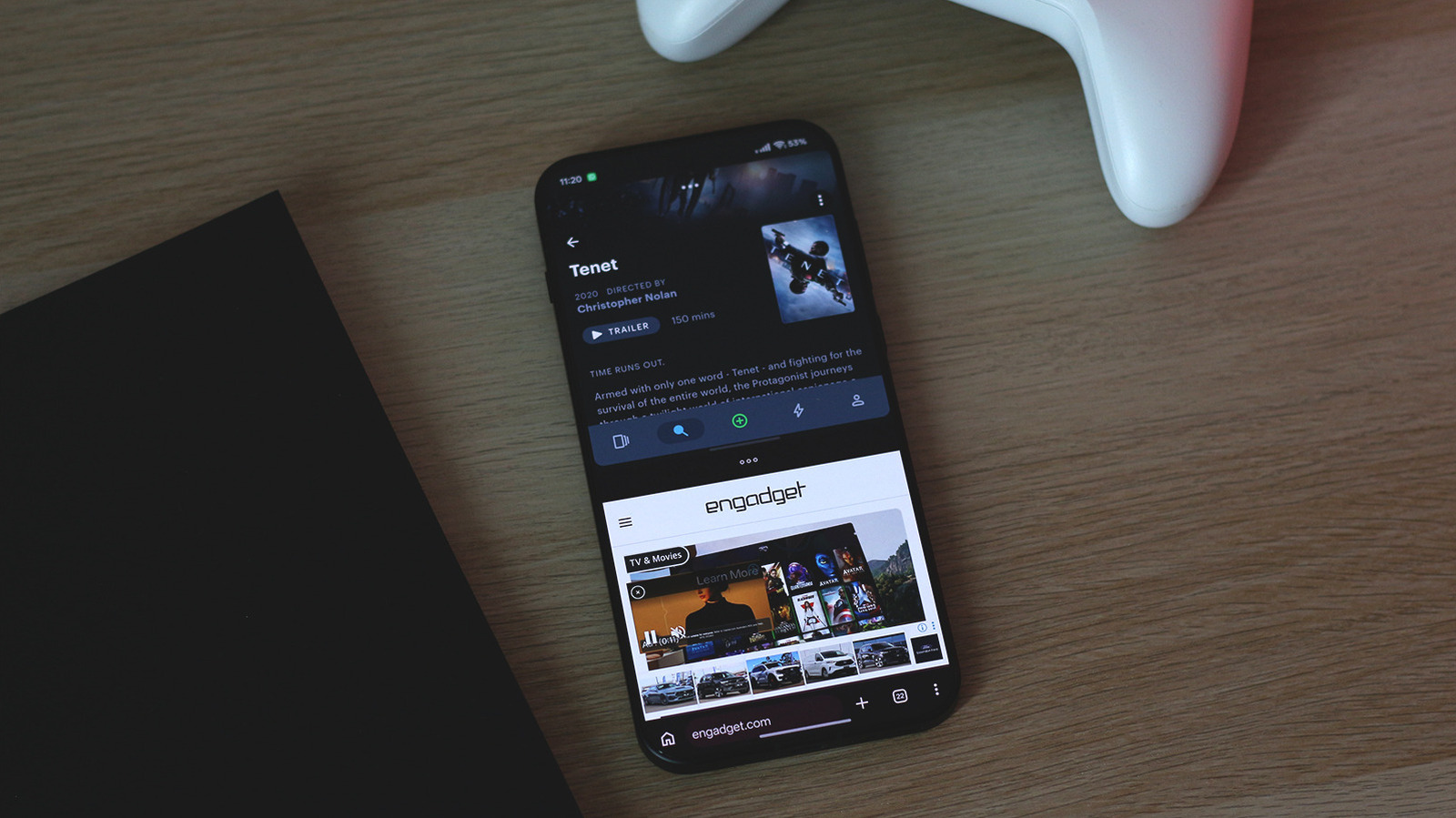
While foldable smartphones are heavily marketed as essential productivity tools with split-screen capabilities, consumers do not need to spend roughly $2,000 to run multiple applications at once. Split-screen multitasking has been natively supported on Android devices since the release of Android 7.0 Nougat a decade ago. Most modern smartphones from manufacturers like Google, Samsung, and Motorola include this functionality directly out of the box, though activation steps may vary slightly depending on the specific user interface.
Accessing Split-Screen and Floating Windows
To launch split-screen mode on a standard Android phone, users can open the recent apps switcher by swiping up and holding from the bottom of the screen with gesture navigation, or by tapping the Recents button in a three-button layout. Tapping an app icon within this menu reveals a split-screen option, allowing a second application to open alongside it. The central divider can be adjusted to resize each window, or dragged entirely off screen to exit the mode. Additionally, modern Android devices support floating windows, allowing a secondary app to hover over the primary display. Manufacturers use different names for this capability, such as Samsung's Pop-up view, OnePlus and Oppo's Floating Windows, and Pixel's Bubbles feature.
Handling Unsupported Applications
Certain applications may lack native multiwindow support, causing the split view option to appear greyed out or missing entirely. Users can check the Google Play Store for recent updates to introduce compatibility. For stubborn apps, Android provides a workaround via the hidden Developer Options menu. By navigating to device settings, tapping the build number seven times, and enabling the 'Force activities to be resizable' toggle, users can attempt to force split-screen mode, though results may vary across different devices.
Source engadget.com — engadget.com/2319499/you-dont-need-foldable-phone-use-split-screen-… ↗
Read next
 🛍️Sales Events
Anker MagStand Qi2 Wireless Charger Hits $90 All-Time Low in Black Friday Sales
Anker's MagStand 25W wireless charging station drops to $90 at Amazon, matching its lowest price ever, while a wave of Black Friday deals covers power banks, travel charg…
 🛍️Sales Events
Black Friday Laptop Deals: Lenovo, Best Buy, and Walmart Cut Prices on ThinkBook, Yoga, and Gaming Models
Major retailers have launched Black Friday doorbuster sales on laptops, with Lenovo's ThinkBook 14x dropping to $699 and Best Buy offering a Yoga 7i 2-in-1 for $649.99.
 🏠Home & Kitchen
Art Leon Mid-Century Modern Swivel Chair Drops to $144
The Art Leon swivel office chair is currently available for $144, offering a blend of home-friendly aesthetics and functional utility.
 👟Fashion & Beauty
Black Friday Fashion and Travel Savings: J.Crew Factory, Nordstrom Rack, and More
Retailers are rolling out significant pre-Black Friday discounts on apparel and travel gear, featuring clearance markdowns and promotional codes for new customers.
 💻Tech Deals
UGREEN MagFlow 25W 2-in-1 Travel Charger Hits New All-Time Low of $28
UGREEN has discounted its MagFlow 25W 2-in-1 travel charger to $28.49, marking a 53% price reduction for Black Friday week.
 🛍️Sales Events
Walmart Launches Second Wave of Black Friday Tech Deals
Walmart has released its second major round of Black Friday discounts, featuring significant price drops on Apple hardware, gaming consoles, and home theater equipment.