How to Use Your Smartphone Camera to Troubleshoot TV Remotes
Learn a simple trick using your smartphone camera to determine if your television remote's batteries are depleted or if the device is malfunctioning.
 🧭Buying Guides
Photo: engadget.com
Key points
- Use your smartphone camera to detect invisible infrared light from TV remotes.
- A flashing purple or white light on your screen confirms the remote is transmitting a signal.
- Bluetooth-based remote commands will not show up on your camera sensor.
- Consider using a smartphone app as a permanent alternative to a physical remote.
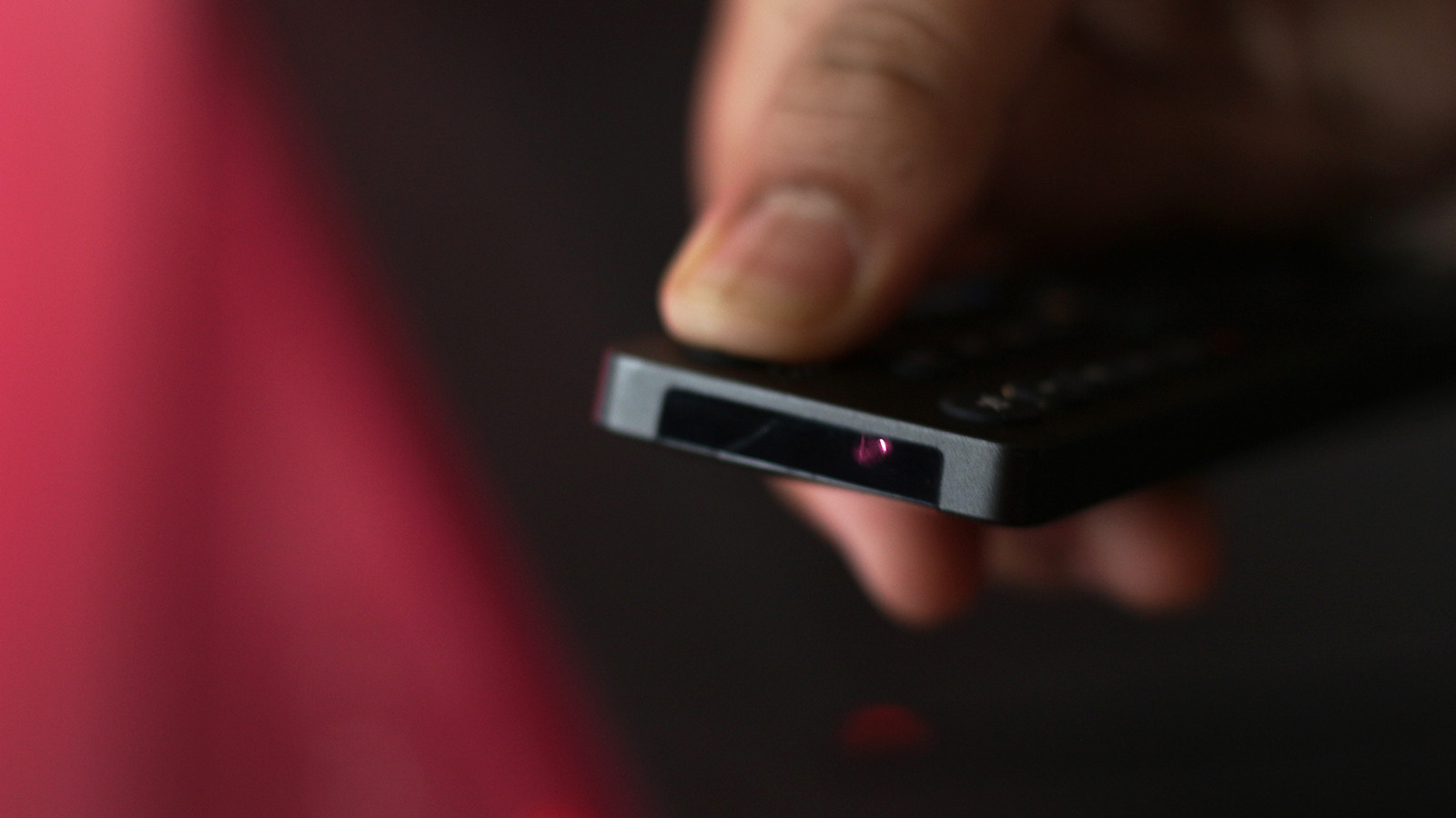
If your television remote stops responding, you can quickly determine if the issue is caused by dead batteries using your smartphone camera. Most standard remotes utilize infrared (IR) light to transmit signals, a spectrum that is invisible to the human eye but detectable by many digital camera sensors.
To perform this check, open your phone's camera app and point the lens toward the front of the remote control where the IR emitter is located. While observing the phone's screen, press and hold a button on the remote. If the batteries are functioning, you will see a faint purple or white light flashing on the display. If no light appears, it is likely time to replace your batteries.
Keep in mind that this method only works for infrared signals. Many modern smart remotes use Bluetooth for specific functions like voice commands, which will not trigger a visible flash on your camera. Furthermore, a lack of light does not always confirm a battery issue; it could also indicate a faulty button or a broken internal emitter.
Before you buy: If your remote is confirmed broken, check if your TV manufacturer offers a companion app for your smartphone. Many smart TVs allow you to control power, volume, and navigation directly from your phone over Wi-Fi, potentially saving you the cost of a replacement remote.
Source engadget.com — engadget.com/2319533/how-to-use-phone-test-remote-control-battery/ ↗
Read next
 🛍️Sales Events
Anker MagStand Qi2 Wireless Charger Hits $90 All-Time Low in Black Friday Sales
Anker's MagStand 25W wireless charging station drops to $90 at Amazon, matching its lowest price ever, while a wave of Black Friday deals covers power banks, travel charg…
 🛍️Sales Events
Black Friday Laptop Deals: Lenovo, Best Buy, and Walmart Cut Prices on ThinkBook, Yoga, and Gaming Models
Major retailers have launched Black Friday doorbuster sales on laptops, with Lenovo's ThinkBook 14x dropping to $699 and Best Buy offering a Yoga 7i 2-in-1 for $649.99.
 🏠Home & Kitchen
Art Leon Mid-Century Modern Swivel Chair Drops to $144
The Art Leon swivel office chair is currently available for $144, offering a blend of home-friendly aesthetics and functional utility.
 👟Fashion & Beauty
Black Friday Fashion and Travel Savings: J.Crew Factory, Nordstrom Rack, and More
Retailers are rolling out significant pre-Black Friday discounts on apparel and travel gear, featuring clearance markdowns and promotional codes for new customers.
 💻Tech Deals
UGREEN MagFlow 25W 2-in-1 Travel Charger Hits New All-Time Low of $28
UGREEN has discounted its MagFlow 25W 2-in-1 travel charger to $28.49, marking a 53% price reduction for Black Friday week.
 🛍️Sales Events
Walmart Launches Second Wave of Black Friday Tech Deals
Walmart has released its second major round of Black Friday discounts, featuring significant price drops on Apple hardware, gaming consoles, and home theater equipment.